During a campaign, clients say two things more than anything else.
"I mentioned this last time."
"So how much has it grown since yesterday?"
The first comes up during draft reviews. The second comes up when you share results. Both send the same signal: the client is doing your job for you.
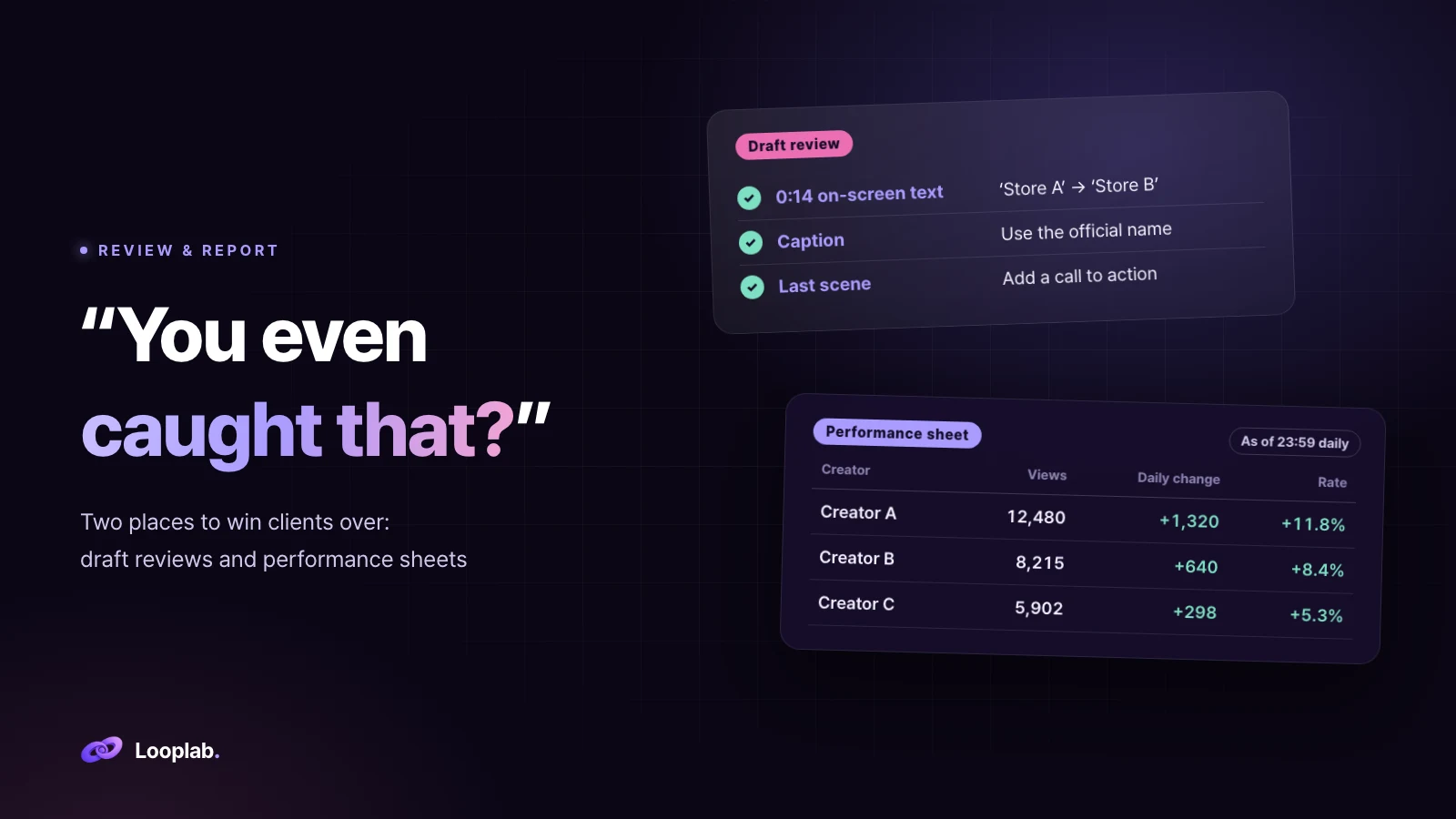
Those same two moments can also make a client say "You even caught that?"
Draft reviews: never get the same feedback twice
1. Keep feedback in a list, not just on the video
When feedback comes in, most teams fix that video and move on. But most feedback is not specific to one video. It reflects the brand's standard.
Collect every piece of feedback in a separate "recurring feedback list." Use one line per item: what changed, why, and where (video, on-screen text or caption). As the list grows, you retain more of the client's standards.
2. Check the draft before the client sees it
When the next draft arrives, check it against the list before sending it to the client. Campaigns vary, but the same issues recur.
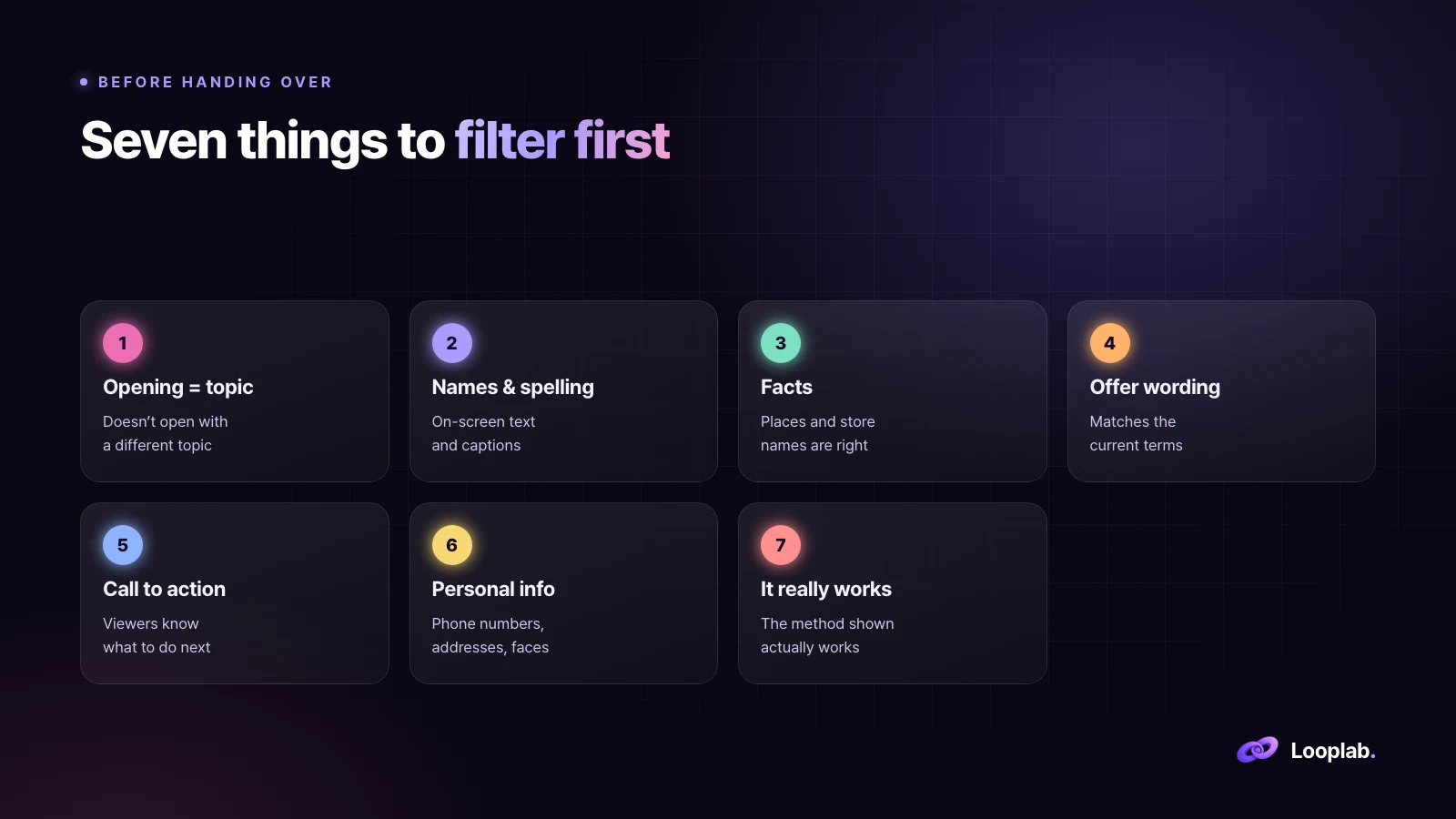
Does the opening match the video's topic? The topic is "price," but the video opens with "how to use it"
Official names and spelling. Check captions as well as on-screen text
Facts such as locations and store names. Similar names are easy to confuse
Is the offer wording current? If the terms have changed, use the updated wording
The call to action at the end. Does the viewer know what to do next?
Personal information on screen. Phone numbers, addresses, other people's faces
Does the method shown actually work? Brands check this most closely
3. Review the video and caption together, and make comments actionable
The most common mistake is updating the video but leaving the caption unchanged. The on-screen text uses the new wording, while the caption still uses the old wording. Clients review both together. So should you.
Never leave it at a comment like "Please check the name."
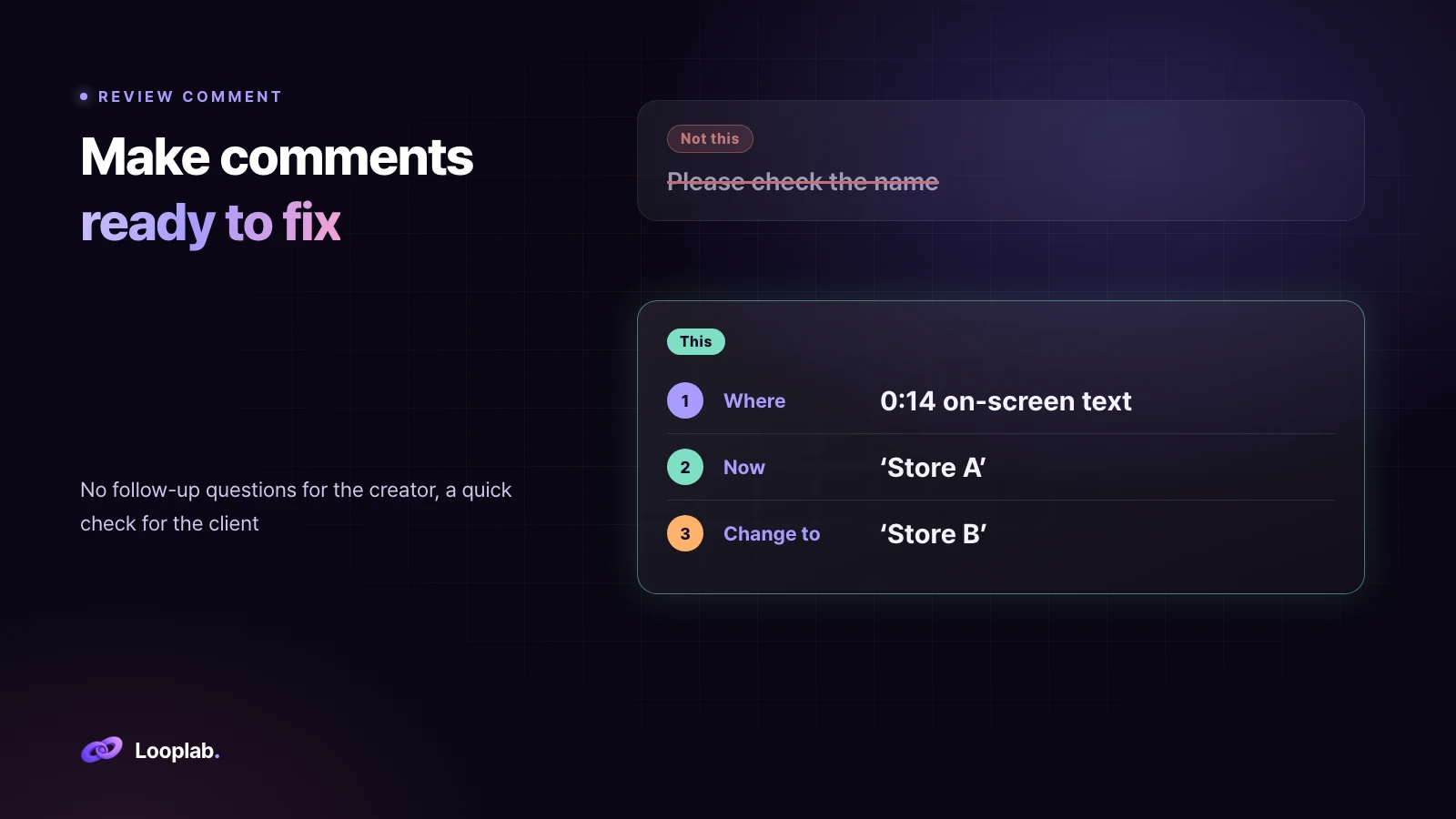
Specify the location, the current wording and the replacement wording. With these three details, the creator has no follow-up questions, and the client can confirm the change at a glance.
4. When you hand it over, explain what you have already checked
"We have already checked the previous round's feedback (names, offer wording and call to action) and added comments. Please focus on anything new."
That one line tells the client where to start.
Performance sheets: never get the same question twice
5. Organize tabs around why people open the sheet
A common setup gives each creator one row and adds columns to the right every day. Five metrics, each with a total, daily change and rate of change, means 15 columns a day and 150 columns in ten days. Every number is there, but no one can find what they need.
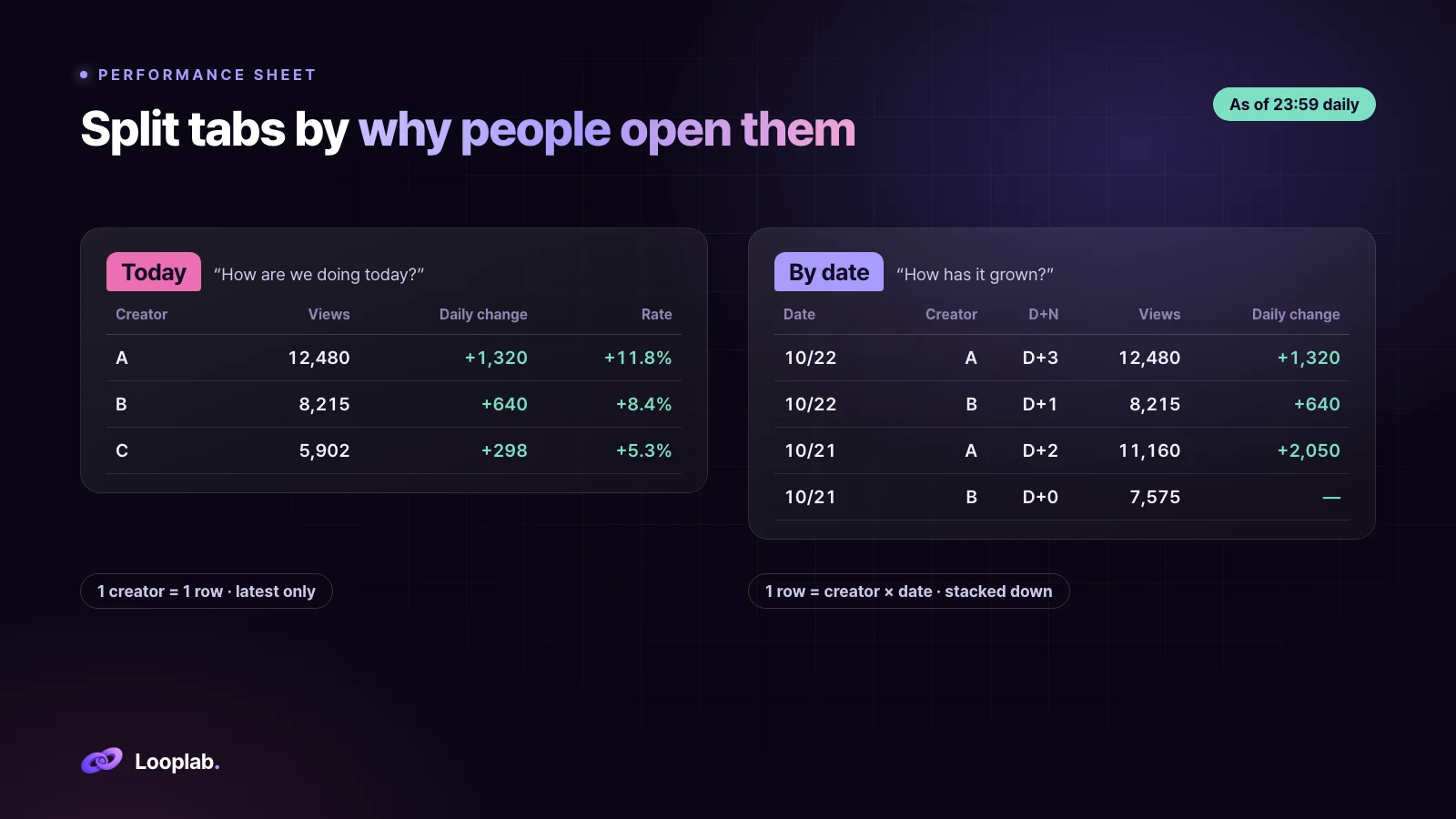
Today tab. One creator = one row, with only the latest numbers. It answers "How are we doing today?"
By-date tab. One row = creator × date, with rows added downward instead of columns added sideways. It answers "How has this video grown?"
6. Use one cut-off time and compare by D+N
If each video is measured at a different time, the one measured later looks better. Set a consistent cut-off, such as "as of 23:59 every day," and show only figures from that cut-off on the sheet. Keep the initial numbers captured immediately after upload separate as the "first record."
Compare videos posted on different days by days since upload (D+N), not by date. Compare D+2 with D+2 and D+7 with D+7. This makes comparisons fairer, especially when choosing which videos to boost as ads.
7. Keep the guide and change log in the sheet
Most people who open a sheet did not build it. Anything you explained in chat is missing when they reopen the sheet.
Add a "How to use this sheet" section to the summary tab: the tab layout, column color meanings, terms, update times and cells that should not be edited. Update the guide whenever you change the structure. In a "Change log" tab, record the date and what changed. That gives people an immediate answer to "Why did this change?"
Clients are won over by what you do before they ask
Apply feedback from the previous round to the next draft before anyone asks,
and let the sheet answer a question before anyone asks it twice.
That is how Looplab runs campaigns. Clients can spend their time deciding what to do next instead of searching for numbers or repeating themselves.